Research, write, and publish in one workspace

Your next LinkedIn post starts with proof.

SwipeIn finds breakout posts from creators you trust, turns the pattern into your point of view, and carries the draft all the way to your calendar.

7 days free. No credit card required.

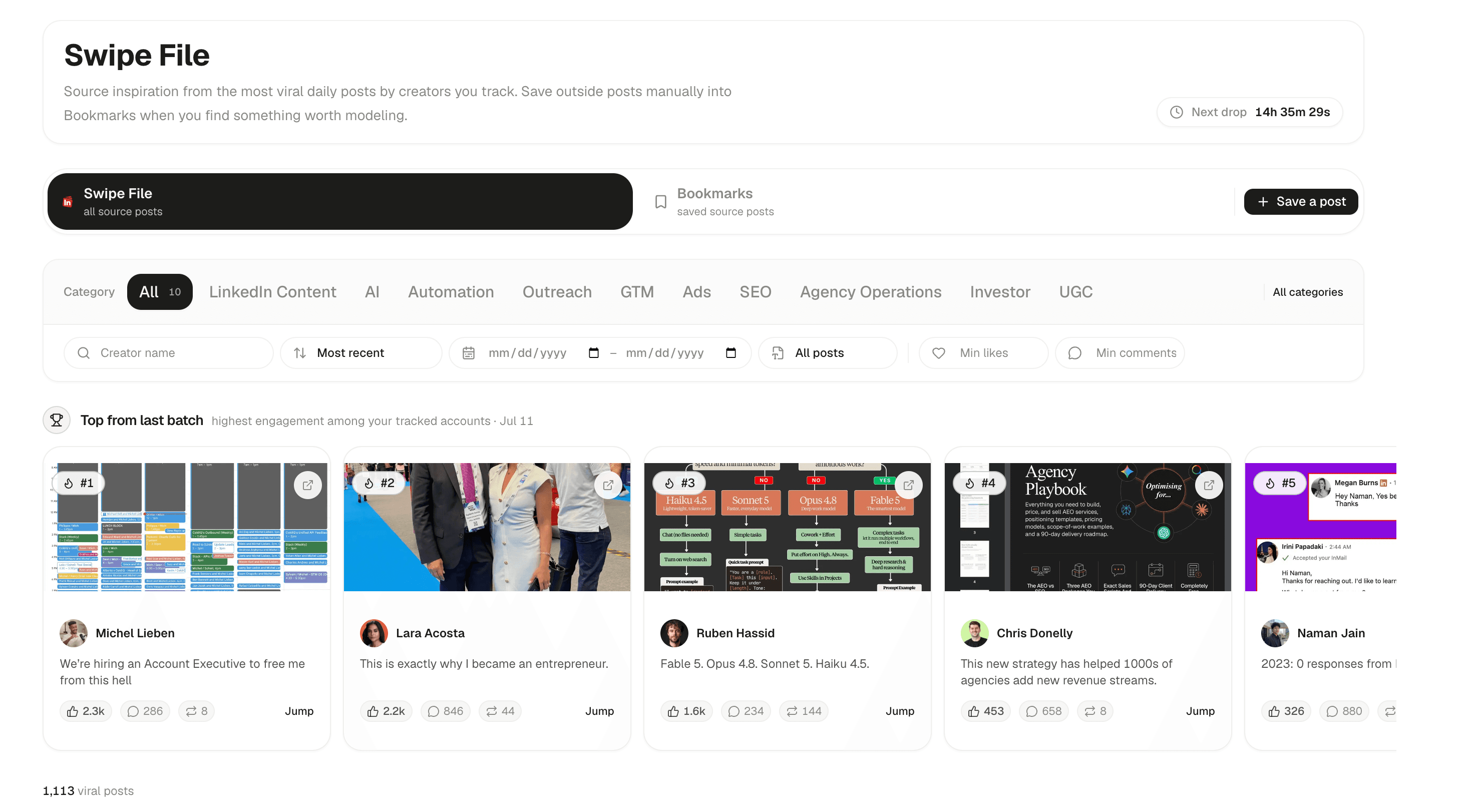
SwipeIn workspace
SwipeIn Swipe File workspace showing filters and high-performing posts from tracked creators

Built for people who publish with a point of view.

No generic templates. No empty-page ritual. No tab parade.

One continuous path from signal to scheduled.

Every step shares the same sources, voice profile, preferences, and feedback. You move the work forward without rebuilding context.

01

Find the signal

Track the creators your buyers already read. SwipeIn surfaces posts outperforming each creator's normal baseline, so small accounts and large accounts compete on quality rather than raw reach.

Swipe File

Breakouts from creators you track
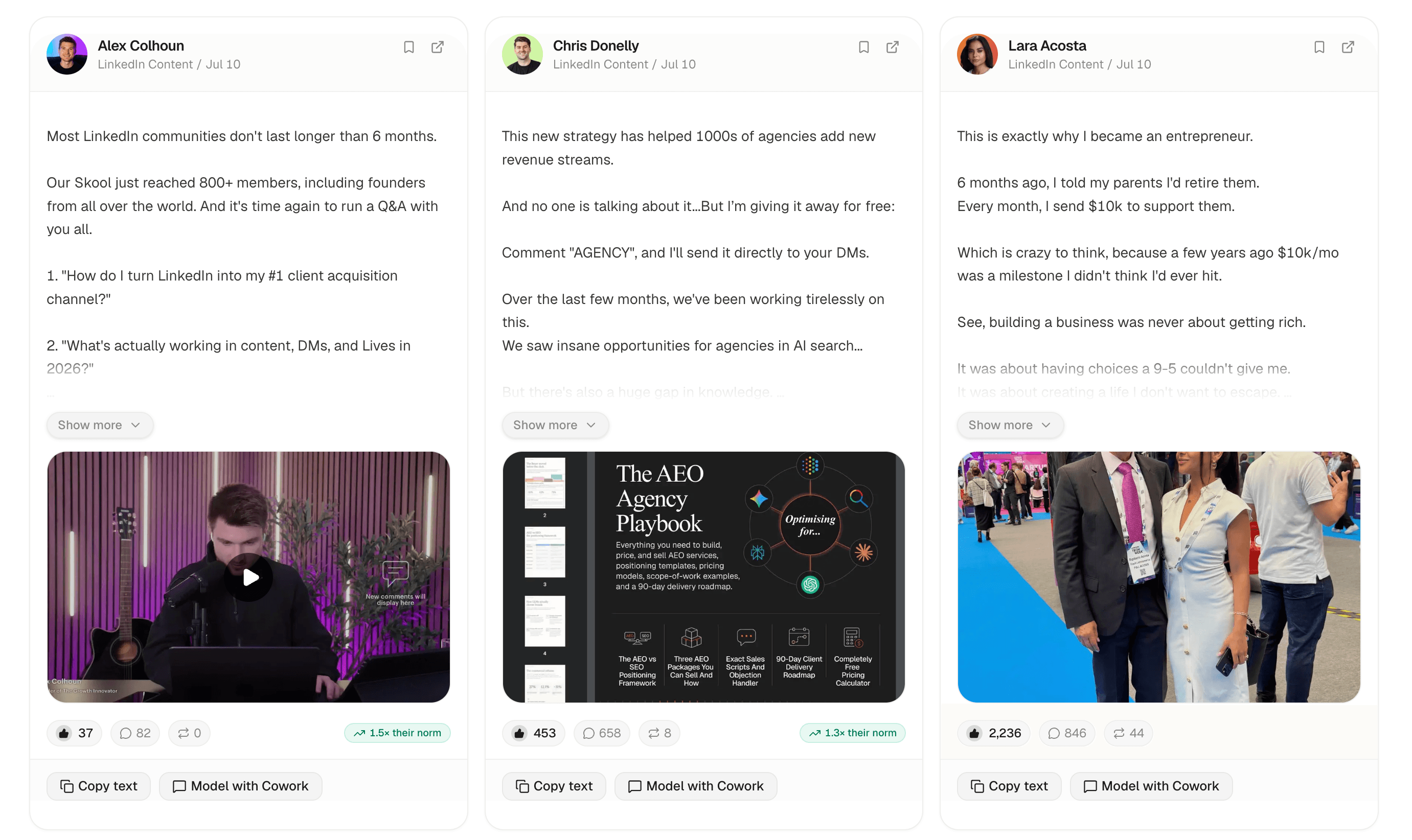
SwipeIn Swipe File showing three high-performing LinkedIn posts with engagement metrics and modeling actions
02

Make it yours

Choose your voice or a saved creator style, then start from a proven post framework. The agent applies the source, style, and feedback before producing an editable draft.

Drafted from your sourceDraft 1
JD

John Doe

Ready to review

3 AI tools I actually use to ghostwrite LinkedIn content.

Not a "best AI tools" list. These survived 6 years of writing for founders and 30+ posts that crossed 1,000 comments.

1/ Claude → for overall work
The one I live in all day. Best for research, create sales assets, and planning your content schedule.

2/ SwipeIn → for research & writing
This is where I source all my inspiration from. I track 100+ creators and get fed their best content daily. Trained on my voice and thousands of viral posts.

3/ Notion → for content calendars
Where my content planning lives: ideas, drafts, scheduled posts, client feedback. Still the best workspace.

View source
03

Manage your posts

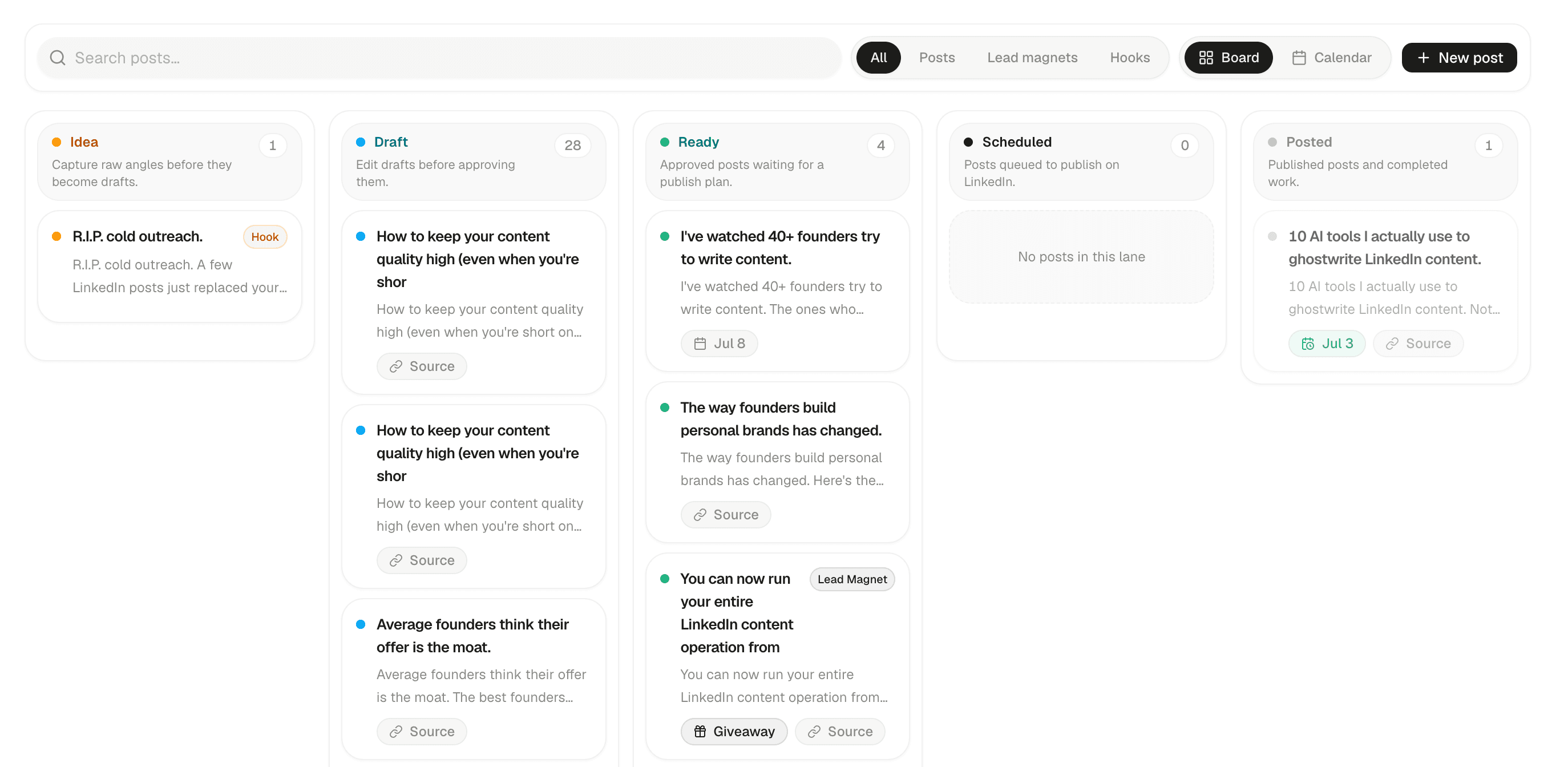
Move ideas, drafts, approved posts, and published work through one clear board. See what needs attention and keep every source attached.

SwipeIn Posts board organizing ideas, drafts, ready, scheduled, and published posts
04

Give it a next action

Save the draft, refine it, place it on the board, and schedule it to LinkedIn. The original source stays attached for traceability.

This week

3 posts ready

Tue 14

Positioning is a decision

Wed 15

Thu 16

The content-sales gap

The workspace remembers what makes your content yours.

Good and Needs work are not throwaway reactions. Your feedback becomes durable guidance for the next draft.

Voice profile

Phrasing, rhythm, structure, and the language you avoid.

Source history

The original post stays attached to every modeled draft.

Feedback memory

Ratings and specific notes shape future generations.

Creator styles

Write in your own voice or choose the style of a creator you follow.

Proven frameworks

Turn high-performing posts into reusable templates for new topics.

Claude MCP connector

Bring the same swipe file, creator styles, and proven templates into Claude through MCP.

53

posts pulled today

133

creators tracked

1.2k

viral posts archived

554

patterns extracted

One complete workspace

Publish from evidence, not pressure.

Research, writing, planning, and publishing stay together. Try the full product for seven days.

Launch plan

$99$79per month
  • Daily viral swipe file
  • Your voice and saved creator styles
  • Templates from proven post frameworks
  • Content calendar and LinkedIn scheduling
  • Up to 100 tracked creators
  • Claude MCP connector

Questions, answered.

The practical details before you start.

Does SwipeIn write the whole post?+

Yes. It can find an angle, draft in your voice, revise the copy, and leave the result ready for your approval.

Can it publish to LinkedIn?+

Yes. Connect LinkedIn in Settings and schedule approved drafts directly. You can also use the calendar as a planning-only workflow.

Where do the source posts come from?+

SwipeIn pulls public posts from creators you choose, then compares each post with that creator's normal performance.

Will the drafts sound like me?+

Choose your own voice or a creator style you have saved. SwipeIn combines that voice with proven frameworks while keeping the ideas and wording original.

Stop asking a blank page for ideas.

Start with what is working, add your point of view, and give every draft somewhere to go.